Your team has the tools. The licences are paid for, the logins work, and the projects keep coming. So why is usage still capped at the basics, and why is someone already asking for a new platform?
Many L&D teams are sitting on more capability than they realise. When you’re learning on the job, it’s easy to miss the features that could save you hours or lift your courses from good to great. After all, you don’t know what you don’t know.
Rob Mynett, Product Enablement Specialist at OL, has spent over 25 in the L&D industry and is on a mission to help teams get more from the tools they already use.
In our latest ask the expert blog, Rob explains how to spot the signs your tools are underused, which features are worth a second look, and how to make sure your investment pays off beyond the licence.
What are the signs that an L&D team isn’t getting the most from the tools it already has?
Underutilisation of tools is one of the biggest issues across L&D, and it often comes down to teams not getting the most from the platforms they already have. There are a few telltale signs I’d look for.
Tools sitting unused. Teams have access to tools that aren’t getting used at all for projects. That’s usually down to awareness, skills, confidence or, in some cases, the platform not being the right tool for the task at hand.
Unexplored functionality. This is the classic ‘tip-of-the-iceberg’ analogy in action; people use a tool, but only for a small fraction of what it can do. Excel is a great example of this outside the L&D space. Loads of people use it and are familiar with the basics, but very few use it to its full extent.
All learning content feels the same. If most of your courses rely on the same basic interactions every time, your course developers are probably sticking to what they know. That’s a sign there’s more to explore, and that the tool isn’t being used to its full capability.
Limited time to explore. Sometimes business requirements can leave no room to experiment. I’ve experienced this myself in past roles; I’ve had great tools I’ve been itching to do more with, but because of limitations, I’ve not had time to fully explore them. That’s where training with built-in practice helps.
Requests for new tools. When someone asks for a new tool, ask whether your existing ones could already solve the problem. Often, people simply don’t know what a tool can do beyond the specific task it was bought for.
If I were an L&D manager looking into this, I’d start with an audit of three things: the tools we have, what each one can do, and what we’ve used them for over the last 6 to 12 months.
Next, I’d forecast the likely business requirements for the next 6 to 12 months. Set against the audit, and that should show whether you’ve got what you need and whether you’re making full use of it.
Then, talk to your team about where they feel the gaps are, so you’re hearing from the people who use the tools every day.
How can you tell whether a problem is with the tool itself, the way it’s being used, or the skills of the people using it?
I’m a big fan of diagnostics. It’s something I do a lot when I’m designing training, and the same approach works here too. The first question is one I’ve already touched on: can the tool technically achieve the outcome you need? If the answer is no, the issue is with the tool itself.
If the answer is yes, it’s worth checking that nothing practical is getting in the way first. A particular bit of software might need a more powerful machine, for example – a blocker I’ve experienced. If that’s not the issue, it comes down to one of four areas, which I think of as sub-diagnostics. They’re the same four I’d look at if someone came to me saying, “We’ve identified a gap, can we have some training?”
Knowledge. The team has the tool but doesn’t know how to use it. They need to get that knowledge from somewhere before they can apply it effectively, so this is where training comes in.
Skill. If the gap is skilled-based – say they know how to use the tool, but they’re not doing it well for some reason – then they need things like practice, coaching, or mentoring. Often a tool gets bought, someone picks up the knowledge, and then business demands mean they never get the chance to properly practice with it. Hands-on training helps here, because people build knowledge and practise skills at the same time.
Aptitude. Sometimes the task simply needs someone with a different strength. It’s about matching the tool to the capabilities of the person using it, which might mean giving the work to someone better suited to it.
Attitude. People know how to use the tool and have the skills, but they still aren’t using it. That could point to a performance management issue, or to a barrier you can remove. Either way, find out why they’re holding back and work to resolve it.
Too often, organisations jump straight to replacing technology. In my experience, the real opportunity is improving the knowledge, workflows, and confidence of the team, while trying to find and resolve any underlying issues.
What features or capabilities do L&D teams most often overlook in their authoring tools?
It varies massively by platform, because they all do different things. However, I’d start with content reuse and shared libraries, which reduce duplication of work. If your tool has those and people aren’t using them, that’s always worth looking into.
Then there’s review and collaboration workflows. Often in L&D, delays happen due to stakeholder bottlenecks in the feedback process. Review, part of Articulate 360 AI, is a good example here; the platform has built-in tools so you can gather feedback in one place and make changes quickly.
The next is AI-assisted authoring. Many tools, even ones that have been around for a while, are developing their AI capabilities. Rather than ignoring them and carrying on as before, it’s worth exploring how they can help you work better and faster. The challenge is that AI is now everywhere, so the key is your team’s capability: do they know how to use it and get the best out of it?
Analytics and reporting are another big one. It’s an area I find a lot of organisations overlook. They don’t do the analysis on their training that they could, and it gets missed in the rush to the next project.
What difference can targeted training make to how effectively a team uses its existing tools?
This is one of the biggest areas for me; the impact can be dramatic. Even in my own career, I’ve been massively self-taught. I’d used Articulate for 10 to 15 years, but when I went on the Omniplex Learning training for it, there were two things on the first day that would have saved me literally days’ worth of time. I just never knew those features existed.
“Training builds confidence. When authors understand what’s possible, they’re more willing to experiment, solve problems, and get greater value from the investment.”
Rob Mynett
Training doesn’t just help with tool use, either. You can cut development time by learning better workflows, developing content reuse techniques, and defining collaboration methods. And, most importantly, training builds confidence. When authors understand what’s possible and know the boundaries of the software, they’re more willing to experiment, solve problems and, therefore, get greater value from the investment.
How can organisations make sure their investment in L&D technology is matched by investment in the skills needed to use it effectively?
The first step, for me, is recognising that technology investment shouldn’t end when the licence is purchased. I’ve seen it a lot in organisations: they buy the license and think ‘job done’. But investment without training is just expensive software.
Unless you’re buying a tool people are already experts in, you should build capability into the plan as an ongoing priority. There are lots of ways to do that:
• Structured onboarding for those new to the tool • Role-based learning paths, tailored to the software and to the role someone will be doing • Advanced workshops or training for experienced users, which are especially useful when a tool changes or adds loads of new features • Regular feature update sessions, like the ones we run at OL for our Enable+ subscribers, where we review the latest features and improvements • Internal champions and super users, who can answer everyday questions and share what they know • Access to experts for ongoing coaching and guidance • Time allocated specifically for skills development, so learning isn’t squeezed out by the next project
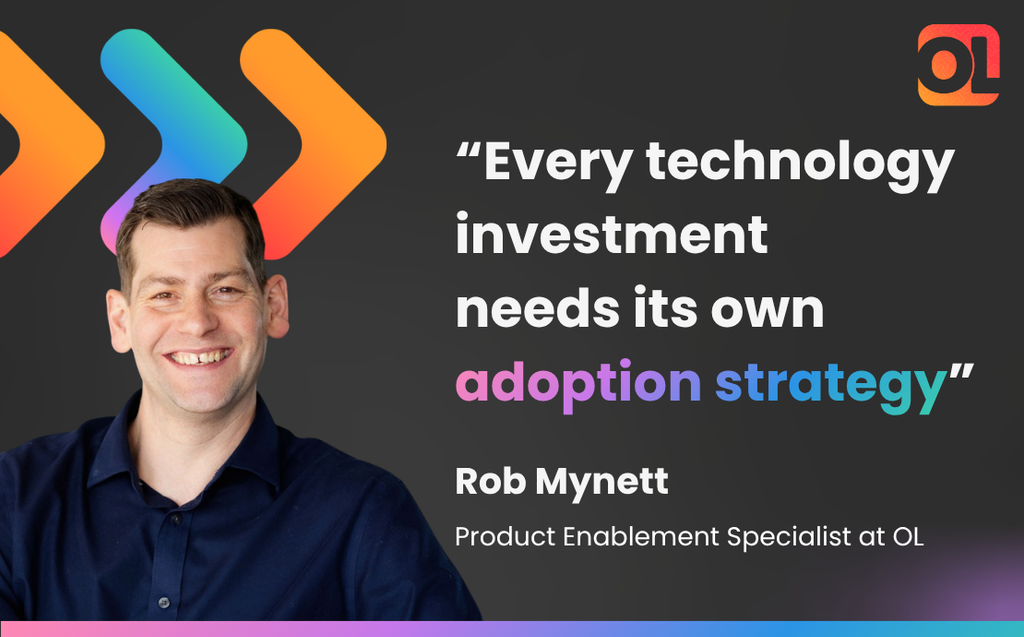
Every technology investment needs its own adoption strategy. That’s what turns a licence into value, and it’s when the benefits start to show across the organisation.
“Investment without training is just expensive software.”
Rob Mynett
About the expert
Rob Mynett has more than 25 years’ experience in L&D, designing and delivering award-winning learning solutions across eLearning, classroom training, assessment centres, and blended programmes.
His experience spans everything from customer service, management, and sales to software, performance management, and cultural awareness. At OL, Rob specialises in creating engaging, relevant enablement sessions that help people get the most from world-class software, including Articulate 360 AI and Vyond, to achieve their business objectives.
Rob believes great learning is about “keeping it simple and relevant”. Outside of work, you’ll usually find him spending time with his family, running, walking, travelling, tackling a DIY project, or eating, although he admits he’s equally happy doing the latter at work too.
Get more from your tools with OL
Whether you’re still getting to grips with the basics of Vyond, or want to master Articulate 360 AI’s advanced features, we’ve got a plethora of expert-led, hands-on training courses to choose between. Get in touch to find out more.
To provide the best experiences, we use technologies like cookies to store and/or access device information. Consenting to these technologies will allow us to process data such as browsing behavior or unique IDs on this site. Not consenting or withdrawing consent, may adversely affect certain features and functions.
Functional
Always active
The technical storage or access is strictly necessary for the legitimate purpose of enabling the use of a specific service explicitly requested by the subscriber or user, or for the sole purpose of carrying out the transmission of a communication over an electronic communications network.
Preferences
The technical storage or access is necessary for the legitimate purpose of storing preferences that are not requested by the subscriber or user.
Statistics
The technical storage or access that is used exclusively for statistical purposes.The technical storage or access that is used exclusively for anonymous statistical purposes. Without a subpoena, voluntary compliance on the part of your Internet Service Provider, or additional records from a third party, information stored or retrieved for this purpose alone cannot usually be used to identify you.
Marketing
The technical storage or access is required to create user profiles to send advertising, or to track the user on a website or across several websites for similar marketing purposes.